
QR menu
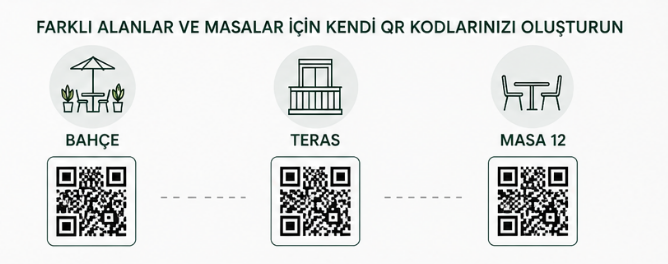
Go beyond a single printed QR code: tailor flows to your venue and issue different codes per table, sitting, or guest when needed.
Per-guest or per-session dynamic QR greatly reduces fake or wrong-table orders and keeps kitchen and payments predictable.
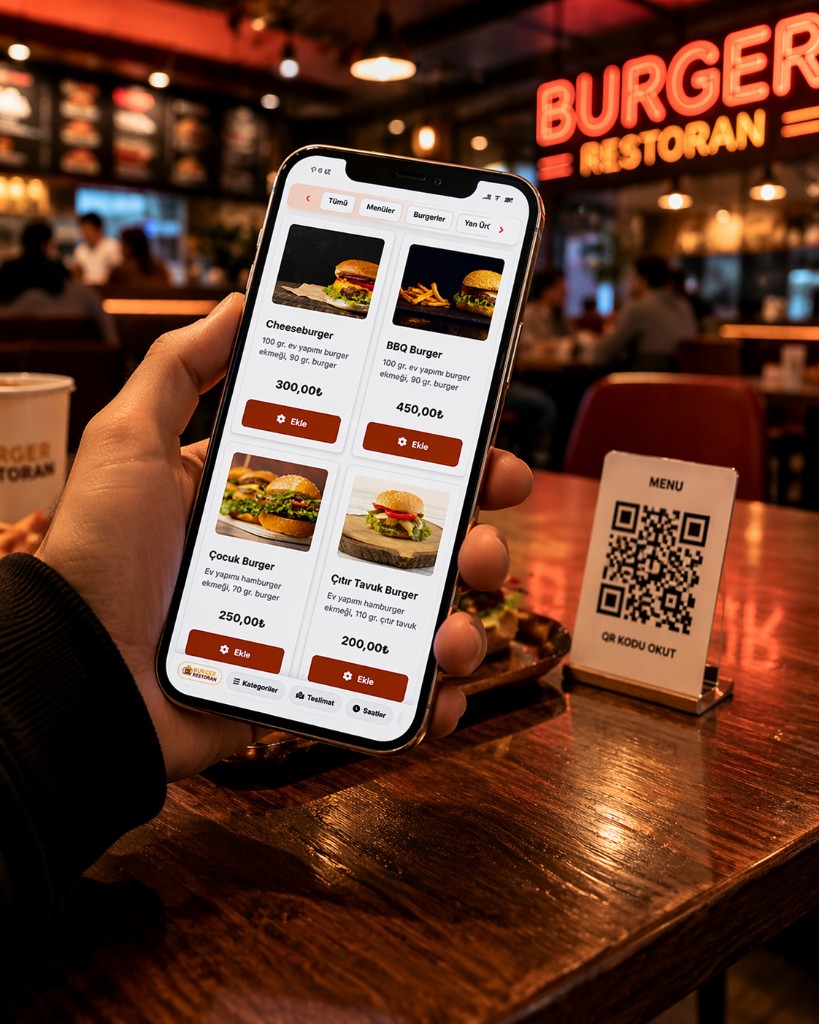
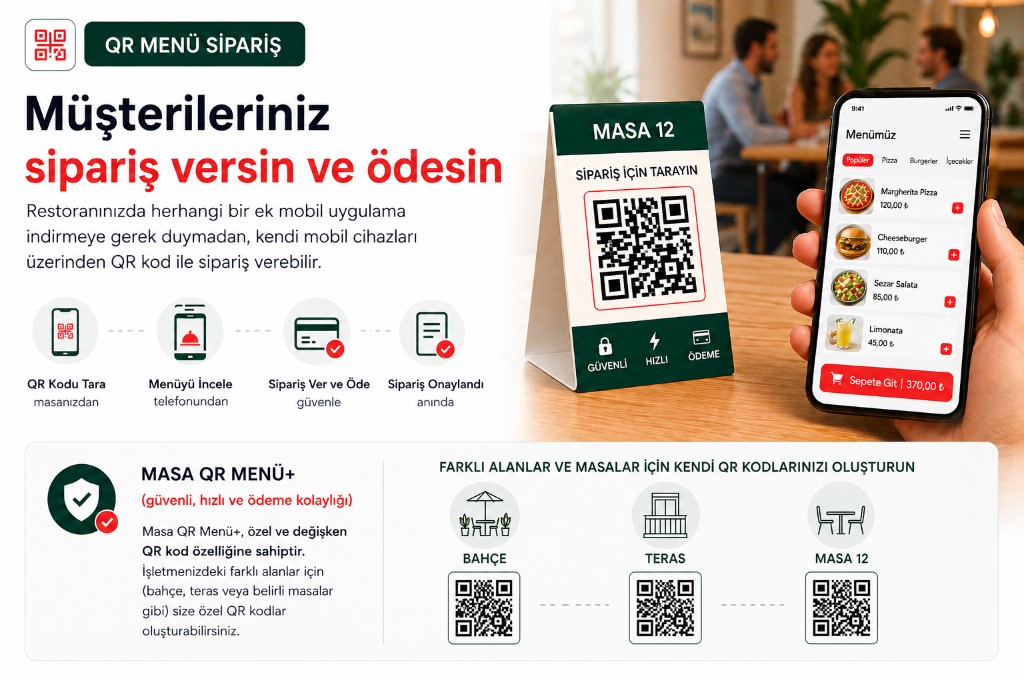
QR menu, payments, and split bills—plus custom QR codes for gardens, terraces, and tables, on one system
Start with one fixed table QR for your digital menu and orders. Move up in the same stack to QR menu+: staff passcode checks, online payments, and split bills. When volume or fraud risk rises, use per-session or per-guest unique codes to block fake and wrong-table orders—use modes together or roll them out in stages.
- Standard — fixed QR, digital menu
- QR menu+ — verify, pay, split
- Custom QR — per guest / session
QR menu
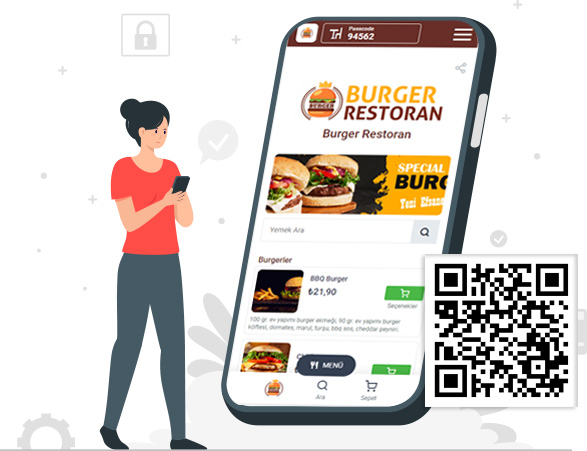
Standard QR menu uses one fixed printed code per table so every guest opens the same menu—ideal as digital menu only or as the first step before upgrading.
Below is a typical flow for this capability; other QR options can be used separately depending on your needs.
Guests scan the table QR with the phone camera.
Your menu opens in the mobile browser.
They browse the digital menu on their phone and give their order to your server.
You can shape menu and ordering screens to your operation—and use other QR capabilities alongside or separately.
QR menu+ Payment Split bill
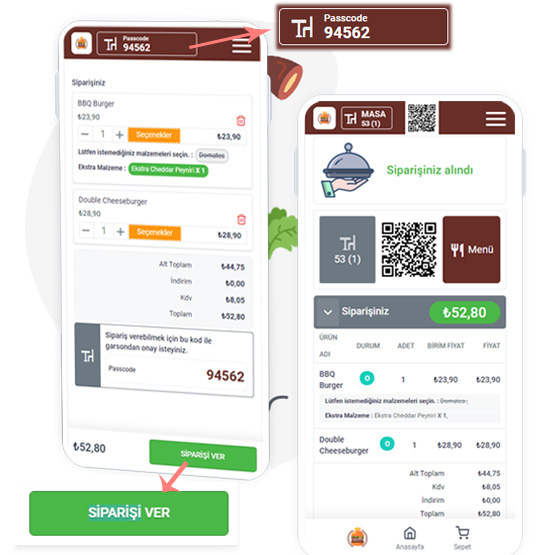
With QR menu+ you keep the same fixed table QR; orders are confirmed with a staff passcode before they reach your system. Online payment and split bills are available in this capability.
The QR menu+ “passcode” flow also helps prevent fake orders.
Guests scan the table QR with their phone camera.
They reach your menu page in the browser.
They select products and add them to the cart.
To send the order, verification is required—they ask staff to approve the passcode shown on screen.
Staff confirms the passcode and authenticity; until payment, guests can add more items without extra approvals if you allow it.
The guest submits the order.
The order appears in your system as pending, ready for preparation and service.
QR menu+ Custom Garden, terrace, etc. Different tables A separate custom QR code for each area and table.
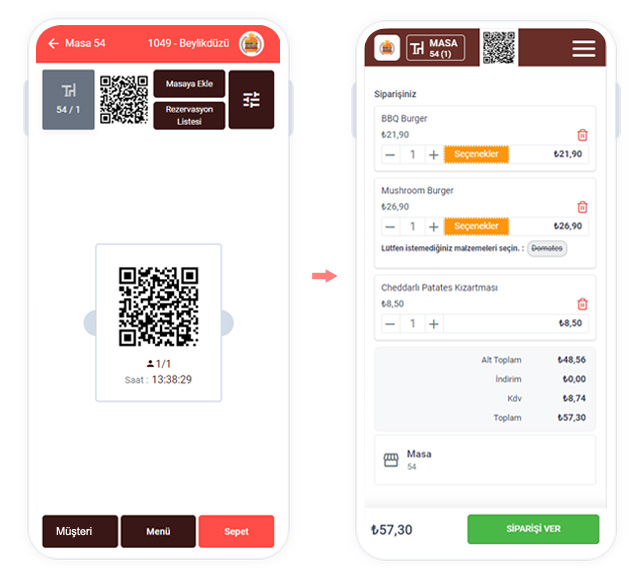
With custom QR menu+, the system issues a different code per sitting or guest; links can be short-lived or non-reusable, which blocks most fake or wrong-table orders and keeps service fast at peak times.
The guest asks for the menu or wants to order.
Staff shows the unique QR for that table/guest so they scan it with their phone.
The guest opens the menu in the browser, adds to cart and places the order.
Staff sees the table order in the panel, prepares and completes service.
To pay, the guest taps Pay, pays online with an available method, or sends a cash request to staff.
For cash, staff receive the alert and collect at the table.
-
After paying, guests can rate and review.
Guests can pay the full table total or split by person.
Handy features with QR menu

No app download
Guests don’t need to install any app to order.

From table to kitchen
Orders from QR go straight to the kitchen for faster prep and service.

Online payment
You can let guests pay online from their phones.

Split or full bill
Guests see the table total and can pay in full or separately.

Digital menu
Use QR menu as a digital menu-only experience with the standard mode.

Always up to date
No extra hardware or reprinting paper menus on a fixed schedule.

Passcode
Passcodes help prevent fraudulent orders.
Ready to create your QR menu?
Create a membership for your restaurant or get in touch with us.