Guide
Taking orders from social media
Taking orders from social media is the method of turning interest on channels like Instagram and WhatsApp into measurable sales by directing it to your own ordering page.
Short answer
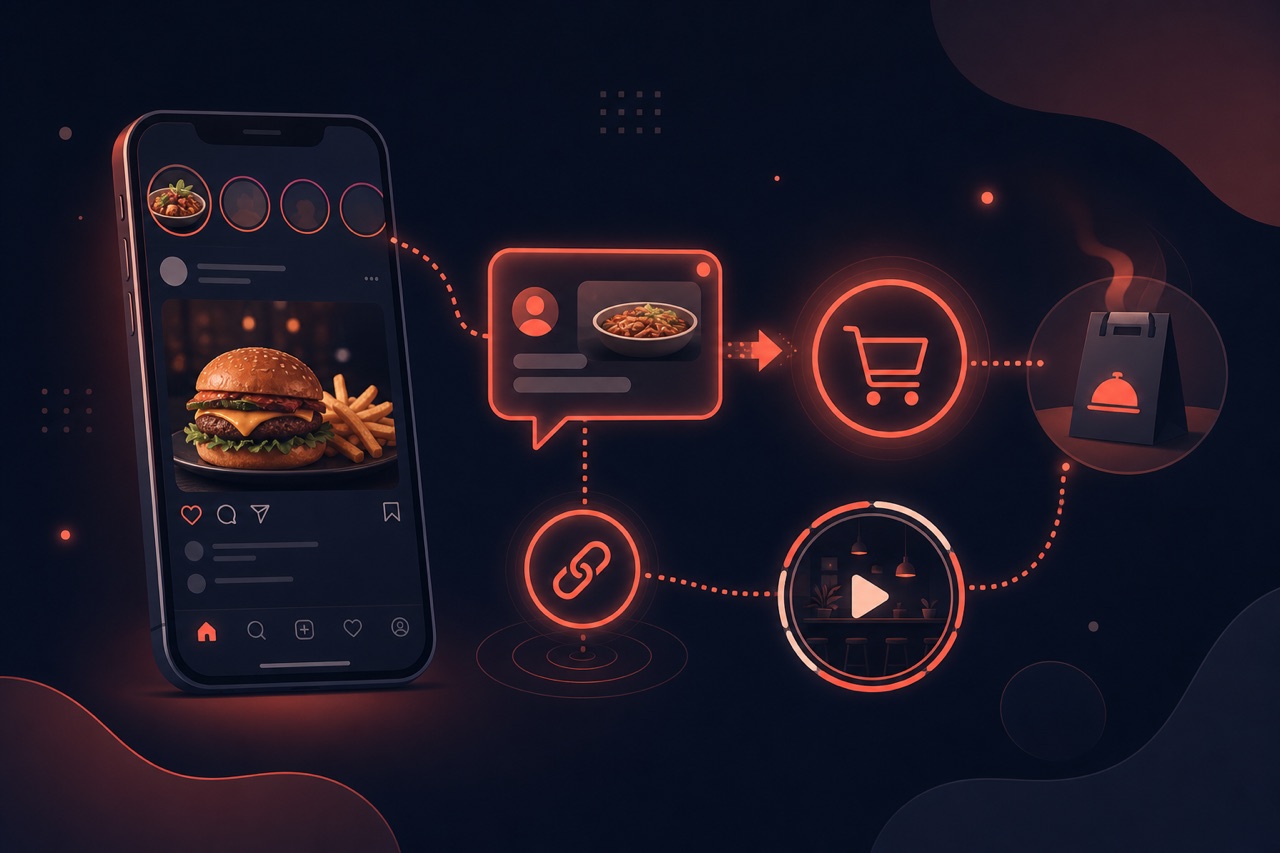
Taking orders from social media means placing your ordering channel's link in your profile bio, stories and posts, and moving followers to the menu and basket in a single tap. This way, instead of DM chaos, you get a trackable, commission-free ordering flow that belongs to your brand.
Definition
Social media is a discovery channel: the customer sees the product there, gets hungry and wants to order. The critical step is directing that interest into a structured ordering flow rather than scattered messaging.
A bio link, story stickers and WhatsApp shortcuts move the customer straight to your menu. When the order is completed on your own channel, the data stays with you and campaign measurement becomes possible.
How does it work?
The typical setup that turns social media into sales is as follows:
- Add your own ordering page's link to your profile bio.
- Put an 'Order now' link/sticker on stories and posts.
- Direct WhatsApp to a shortcut that greets people with your menu link.
- Tag campaign links to measure which content brings in orders.
- Identify the content and hours that convert best and iterate your plan accordingly.
Benefits
The right setup ties follower count to real revenue.
Trackable conversion
You see how many orders each post brings in, link by link.
No more DM chaos
Orders are collected in a structured basket instead of message traffic.
Commission-free flow
Customers coming from social media order on your own channel, not a marketplace.
Retargeting data
With the contact consent you collect, you can reach the same customer again.
Components of collecting orders from social media
Turning social media into an ordering channel is made up of these parts:
Bio and profile link
Placing a direct ordering-page link in the Instagram/TikTok bio.
Story and post links
Directing to the ordering page from a story sticker and posts.
Link-in-bio page
A link hub gathering menu, campaign and order buttons on one page.
QR code bridge
Instant access to the menu via a QR on printed and digital visuals.
Campaign tracking
Measuring which post or channel drives orders with UTM/tags.
From message to order
Converting a DM request into an order by directing it to the ordering link.
Related technical guides: restaurant marketing strategies, SMS and email marketing, store banner management.
Best practices
When taking orders from social media:
- Keep the bio link single and clear; don't leave the customer guessing.
- Show the product in the visual and a clear order call-to-action in the caption.
- Use the order sticker in stories regularly, but without overwhelming people.
- Tag campaign links differently and measure performance.
- Publish content during the hours when the most orders come in.
Related guides and solutions
Frequently asked questions
- Can you take orders directly from Instagram?
The order is completed on your own ordering page opened via a bio or story link. This way payment, address and menu are managed in a single flow.
- How does WhatsApp ordering become organized?
By directing WhatsApp to a shortcut that greets people with a menu/order link. This way, instead of typing out every order by hand, you move them into a structured basket.
- Lots of followers but few orders; why?
Usually the ordering path is unclear. A clear bio link and an explicit order call-to-action in every piece of content noticeably increase conversion.
Summary
Taking orders from social media means connecting your bio, stories and WhatsApp shortcuts to your own ordering channel and turning followers into customers in a single tap. Conversion is trackable, the flow is commission-free and the customer data stays with you.
Get started
Contact us about an online ordering solution for your business and start taking orders on your own channel with Yededoy.