
Product
Reviews & reputation management
Collect feedback at the right time, make Google reviews easier to reach, and track your online reputation from one panel.
- Post-order feedback
- Google review link
- Review tracking
- Feedback management
- Order completed
- Feedback request
- Share your customer experience
-
Google reviewBusiness feedback
- Panel
Start
What does the customer think after the order?
The challenge is not only getting more Google reviews. The real questions are about the experience itself.
- Was the customer satisfied?
- Did anything go wrong with the order?
- How was delivery?
- Was there a product issue?
- Does the business see this feedback in time?
- Even if a happy customer wants to leave a review, how do they reach Google?
Completing an order is not the end of the customer experience. A short post-order feedback request helps the business understand the experience and makes it easier for customers to share a real Google review if they wish.
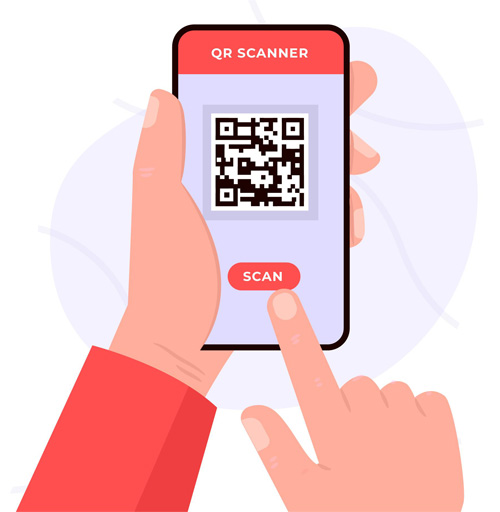
Google also allows businesses to ask for reviews and share a direct Google review link or QR code.
Automation
Automatic post-order feedback request
After an order is completed, a feedback message is sent on your chosen channel after the delay you set.
- 1
Order completed
- 2
Chosen delay
- 3
SMS / email / channel
- 4
Feedback message
Sample message
Hi Ayse,
Would you like to share your experience with today’s order?
Your feedback matters to us.
Feedback automation
Send timing
Channel
Make your Google review link easy to reach
Customers can open your review page directly without searching for your business on Google again.
Google notes that businesses can share a direct link or QR code for reviews — via email, message, receipt or an in-store QR code.
You can add the QR code to receipts, tables, packaging or thank-you messages.
Feedback
Positive or negative: see every piece of feedback
Instead of trying to reshape the customer’s experience, help the business learn from it.
- Product quality
- Order accuracy
- Delivery
- Packaging
- Speed
- Overall satisfaction
Latest feedback
Sample UI data
- Very satisfied
- Fast delivery
- Good food, late delivery
- Missing item in the order
Last 30 days
Sample UI data
- Feedback
- 428
- Google reviews
- 312
- Awaiting resolution
- 67
- Completed follow-ups
- 49
Operations
Use negative feedback to spot real problems
A low score or complaint is not only a reputation issue.
- “My order arrived late.”
- “An item was missing.”
- “Packaging was poor.”
- “The product wasn’t what I expected.”
This feedback can help the business notice recurring operational issues.
Google also notes that negative reviews can help businesses understand customer expectations and improve.
- FeedbackLate delivery
- TopicCourier operations
- OwnerBranch manager
- StatusResolved
Panel
Track Google reviews and customer feedback on one screen
Monitor total reviews, new reviews, rating changes, replies pending, customer feedback and feedback topics together.
Google reviews
- This month
- +86 new reviews
- Awaiting reply
- 12
Sample UI data
Customer feedback
| Topic | Count |
|---|---|
| Delivery | 34 |
| Product | 21 |
| Packaging | 12 |
| Staff | 8 |
Sample UI data
Reply
Track and reply to Google reviews
Reputation management is more than collecting reviews. Businesses can see new reviews, thank positive ones, respond clearly to negative ones, and when needed guide the customer to a private channel.
Google also recommends responding appropriately to negative reviews and directing customers to a private channel in complex cases.
“The pizza was great and delivery was fast.”
“My order was 45 minutes late.”
Templates
Customize feedback messages for your brand
Friendly restaurant tone
How was your order? Would you share your thoughts with us?
Corporate brand tone
You can share your feedback about your order experience with us.
Message template
How was your order?
Hi {{customer_name}},
would you share your order experience with us?
Guide
How should you ask customers for Google reviews?
The right way to grow reviews is not steering the rating — it is making the Google review link easier to reach.
- Post-order message
- Thank-you email
- Receipt
- QR code
- WhatsApp message
Google’s own guidance also includes sharing review links at touchpoints such as email, chat and receipts.
Avoid
- “If you give 5 stars…”
- “If you’re happy, write on Google.”
- “If you’re unhappy, write to us.”
Prefer
“You can share your experience on Google.”
Use neutral language; don’t steer the rating.
Related products
FAQ
- Are fake reviews encouraged?
No. Feedback is requested only from real customers, ethically and in line with Google’s rules.
- Do review requests steer ratings?
No. Messages stay neutral; customers can share their experience on Google or as feedback to the business.
- What is needed for SMS sending?
NetGSM, Twilio or Telnyx is configured; privacy consent requirements must be followed. See order SMS notifications.
Manage your reputation from one panel
Collect post-order feedback, share your Google review link, and reply to reviews on time.